


Sanford Health
4.1420.00 Reviews
App Specs
- Version
- 3.20.0
- Updated On
- License
- Free
- Downloads
- 100,000+
- Developer
- Sanford Health
- Categories
- Medical
- Platform
- Android
Screenshots
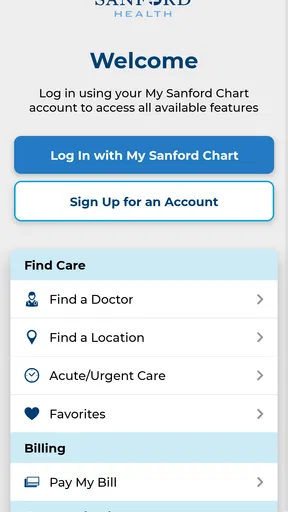
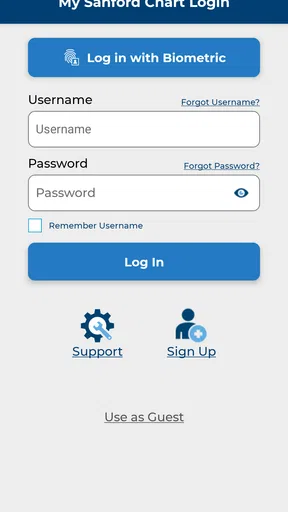
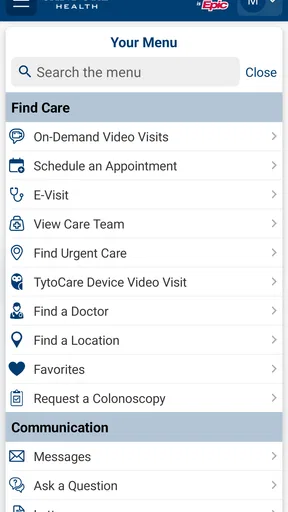
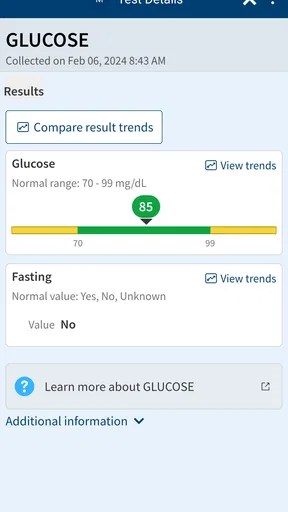
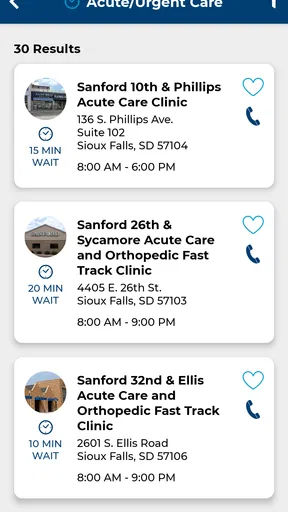
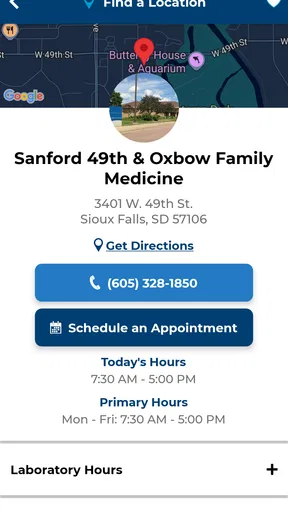
 Analysis by AppCompare
Sanford Health is the kind of medical app that makes the most sense when it becomes part of an existing healthcare routine rather than something you open out of curiosity. I approached it as a practical companion for handling everyday health needs, and my first impression was straightforward: this is a focused service from Sanford Health, not a general wellness toy or a replacement for professional care. That distinction matters because its lasting value depends less on novelty and more on whether it helps you return to the right health task at the right moment.
As a free medical app for Everyone, it is easy to consider without a financial commitment. It has built a modest but meaningful audience, with more than one hundred thousand installs and a 4.1 average from around one thousand four hundred ratings. Those figures suggest that people generally find it useful, while also leaving room for a realistic expectation: this is a practical healthcare tool, not an app that will suit every patient or every situation.
What Sanford Health feels like during the first week
The first week is usually when a healthcare app has to prove that it deserves a place on your phone. Sanford Health benefits from having a clear purpose. Instead of asking you to build an elaborate wellness habit, it points toward the health services connected with the Sanford Health experience. That makes the opening appeal less about entertainment and more about reducing the small amount of friction that often surrounds care.
I would recommend starting by deciding what you actually want from it. If you are already connected to Sanford Health, the app has a more obvious role: it can sit alongside your normal healthcare arrangements and give you a mobile place to begin. If you are not using Sanford Health services, the reason to install it is less compelling. A medical app tied to one healthcare organization is naturally more useful to its patients than to someone looking for a universal symptom tracker or a broad fitness dashboard.
That is the first important trade-off. The app’s identity is also its boundary. Its connection with Sanford Health can make the experience more relevant for that organization’s patients, but it does not automatically make it the best choice for someone whose doctors, records, appointments, or insurance arrangements are elsewhere. Before spending time setting it up, I would ask whether Sanford Health is already part of your care routine.
The first-week appeal also comes from having a single place to check before reaching for a browser, calling a clinic, or searching through unrelated phone applications. In a realistic situation, imagine noticing a non-urgent health concern after work and wanting to begin with a trusted healthcare source rather than random search results. An app like this can make that first step feel more organized. It does not remove the need for medical judgment, but it can help you approach the right service instead of improvising.
I would not treat the app as an emergency channel. If a situation feels urgent or dangerous, the correct response is to seek immediate medical help through the appropriate local emergency service. Sanford Health is better understood as a routine-care companion. That expectation prevents one of the most common mistakes people make with health apps: assuming that mobile access means instant clinical attention in every circumstance.
Worth Reading Before You Choose

EA SPORTS FC Mobile 26 Is a Bigger Football Game, but It Takes Time

Flipboard Shows What News Apps Must Do Beyond the Feed

Switching to Android Auto Means Rethinking Your Driving Routine

Google Calendar Makes a Crowded Week Easier to Manage

Ludo King Makes the Most of the Minutes Between Plans

Baby Panda World Brings Quick Play to Modern Phones, but Its Game Library Feels Busy
The current release is version 3.20.0, and it supports devices running operating system version 11 or later. For many users, that should make compatibility a simple check rather than a major obstacle, but it is still worth confirming before planning to rely on the app. A healthcare tool is not very helpful if it cannot be installed on the phone you carry every day.
Where the early convenience comes from
During the first few uses, I found the strongest benefit in reducing mental switching. Health tasks are easy to scatter across email, browser bookmarks, phone contacts, paper reminders, and separate provider tools. A dedicated Sanford Health app gives those Sanford-related interactions a more recognizable home. That can be especially useful for someone managing several appointments or helping a family member keep track of care-related tasks.
There is also a psychological advantage to using a service associated with a known healthcare organization. Searching the wider internet can produce too much information, much of it irrelevant to your situation. A provider-specific app narrows the starting point. I still would not use it as the sole source for deciding whether a symptom is serious, but I would prefer beginning with a familiar healthcare channel over relying on anonymous advice.
One practical tip is to use the first week to establish a simple routine rather than exploring every available area at once. Open it when you have a real healthcare task, note which parts genuinely save time, and ignore anything that does not support your needs. This approach reveals whether the app is useful in your life instead of creating a temporary burst of activity that disappears after installation.
Another useful habit is to keep your expectations tied to the services you already use. If you are a Sanford Health patient, think of the app as a front door to your existing relationship with care. If you are evaluating it without that relationship, consider whether a broader health-management app or your own clinic’s official app would be more practical. That comparison is more important than the app’s free price, because the real cost of a poor fit is wasted attention.
Why the value changes after the first month
Most healthcare apps are judged too quickly. The first week can feel productive simply because installation creates the impression of taking control. The more meaningful test is what happens after the novelty fades. Sanford Health earns continued space on my phone only when it supports recurring tasks that I would otherwise delay, forget, or handle less efficiently.
Its month-to-month value is therefore tied to the rhythm of your care. Someone with regular appointments, ongoing health questions, or repeated contact with Sanford Health may find a dependable reason to return. For that person, the app can become a small but useful part of preparation: checking what needs attention, starting from the same familiar place, and keeping healthcare tasks from becoming scattered across several channels.
For someone who rarely interacts with the healthcare system, the value is naturally more occasional. That does not make the app useless, but it does mean it may not deserve prominent placement on the home screen. I would keep it available if it supports a known provider relationship, while accepting that it might be opened only when a specific need arises. A medical app does not have to be used daily to be worthwhile; it has to be reliable enough when the relevant moment arrives.
This is where Sanford Health compares favorably with general wellness apps in one respect. Many wellness products depend on daily motivation, streaks, reminders, or continuous logging. That model can be helpful for exercise or habit tracking, but it can also create pressure and fatigue. A provider-focused medical app has a different recurring value: it supports real healthcare interactions rather than asking you to manufacture activity every day.
On the other hand, a general health app may be better for people who want broad personal tracking, lifestyle goals, nutrition records, or information independent of one healthcare system. Sanford Health should not be chosen simply because it is free. Its usefulness comes from alignment with Sanford Health, not from trying to cover every possible health need on one screen.
A realistic recurring-care scenario
Consider a person who has periodic follow-up care and tends to postpone administrative tasks until the last minute. Without a central healthcare app, that person might search old messages, call the clinic, look through a calendar, and then forget what still needs to be done. Sanford Health can serve as the first place to check when a care-related task comes to mind. The benefit is not dramatic, but repeated small reductions in friction can make a difference over several months.
The same applies to a family member helping an older relative. The helper may not need a health app every day, but having the provider’s service in a known location can make preparation less chaotic before a visit or follow-up. I would still keep personal medical details handled carefully and involve the patient in decisions whenever possible. Convenience should support communication, not replace it.
A less obvious use is as a decision filter. Rather than immediately opening a search engine for every health question, you can first ask whether the issue belongs in a provider conversation, a routine appointment, or an urgent response. The app may help you begin that process through the Sanford Health channel, while the actual medical decision remains with qualified professionals. That separation between access and diagnosis is important and healthy.
The maintenance burden is low, but not invisible
The main maintenance burden is not likely to be constant data entry. It is keeping the app relevant to your actual care. That means installing updates when appropriate, checking compatibility after changing phones, and remembering that the app is most useful when your Sanford Health relationship and contact details are current. These are ordinary tasks, but healthcare tools deserve more attention than casual apps because an outdated setup can become a problem at an inconvenient time.
I would also avoid treating installation as the end of setup. The app’s value depends on whether it connects naturally with how you already manage healthcare. If you normally rely on a calendar, written notes, or family coordination, keep those supports in place until you know what Sanford Health handles well for you. Replacing every existing method immediately creates unnecessary risk and can make the app feel more burdensome than it really is.
A useful maintenance strategy is to review your healthcare apps occasionally and ask one question: did this save me time or confusion since the last review? If the answer is yes, keep it easy to reach. If the answer is no because your care has changed, move it out of the way rather than forcing a daily habit. This is a better long-term approach than opening the app simply to maintain an arbitrary streak.
Privacy and attention also form part of the maintenance equation. Medical information deserves deliberate handling, so I would use the app in a setting where you can review details carefully rather than rushing through a crowded or distracting moment. I would also avoid entering or sharing sensitive information casually through any channel. The convenience of a mobile healthcare service should never encourage careless communication.
There is a difference between low maintenance and no maintenance. Provider services can change as your appointments, care team, or needs change. The app may remain installed for months without being opened, then suddenly become important. That is why I prefer keeping it updated and familiar enough to navigate, even when I am not using it regularly. A dormant but prepared healthcare tool can be more valuable than a frequently opened wellness app that does not connect to actual care.
Where fatigue can appear
The first source of fatigue is relevance. If you are not a Sanford Health patient, or if your healthcare is spread across unrelated providers, the app may feel narrower than expected. The phrase “all your health needs” can sound broad, but in practice a provider-specific service should be evaluated through your relationship with Sanford Health. People wanting one universal dashboard may become disappointed if they expect it to replace every other health tool.
The second source is urgency mismatch. A user who opens a medical app while worried may expect immediate answers, instant messaging, or a diagnosis. That expectation can make any routine-care app feel slow or limited. Sanford Health is best used with a calm plan: identify the kind of help you need, use the appropriate care route, and escalate separately if the situation is urgent.
Another fatigue point is the emotional weight of healthcare itself. Unlike a shopping or entertainment app, this one may be associated with appointments, symptoms, tests, or family concerns. I would not force myself to browse it unnecessarily. The healthiest long-term relationship with a medical app is purposeful: open it when it helps, close it when the task is finished, and do not confuse screen time with better health management.
There can also be friction when a person expects the app to replace human contact. Some healthcare questions are too nuanced for a digital starting point, and some situations require a conversation with a clinician or support staff. If you repeatedly find yourself working around the app to reach a person, a phone call or direct provider contact may be the better option. The app should reduce unnecessary steps, not become another layer between you and care.
Who should keep it and who should choose something else
I think Sanford Health is a sensible choice for patients who already use Sanford Health and want a mobile entry point for recurring healthcare needs. It is also reasonable for family members who help coordinate care and prefer having the provider’s service easy to find. The free price removes one barrier, and the Everyone rating makes it suitable for a broad household audience, although adults should still guide children in handling health information and making medical decisions.
I would be more cautious about recommending it to someone seeking a standalone symptom checker, fitness coach, medication journal, nutrition tracker, or cross-provider health organizer. Those goals call for different tools. A general-purpose health app may offer a wider set of personal tracking features, while a clinic’s phone line may be more effective for a question that needs a human answer. Choosing Sanford Health makes the most sense when provider connection matters more than breadth.
The rating of 4.1 indicates a generally positive reception, but I would not use that number as a substitute for personal fit. Medical apps can receive very different reactions depending on whether a person is an active patient, how often they need care, and what they expect the app to do. The more specific your reason for installing it, the easier it is to judge fairly.
Before relying on it, I would answer four practical questions for myself. Is Sanford Health part of my current care? Do I want provider access rather than general wellness tracking? Can my phone run the current release? And will I remember where to find the app when a healthcare task appears? If the answers are mostly yes, it has a clear role. If not, another option may serve you better.
My long-term verdict
After the initial appeal fades, Sanford Health is not an app I would keep for novelty. I would keep it for continuity. Its lasting value comes from giving Sanford Health patients a familiar mobile starting point for care-related needs, especially when repeated small tasks would otherwise be scattered across calls, notes, and browser searches.
That value is practical rather than flashy. It does not need to become a daily habit to justify its place on your phone. In fact, trying to use it every day would miss the point. The better habit is knowing when to open it, keeping it ready, and switching to direct professional help when the situation requires more than a digital service can provide.
My recommendation is positive but specific: install Sanford Health if you already rely on Sanford Health and want a convenient companion for ongoing care. Give it a first-week trial based on a real task, then judge it over a month by the amount of confusion or effort it removes. If it becomes a dependable part of your healthcare routine, its free cost and focused purpose make it easy to keep. If your needs are broader or your providers are elsewhere, skip it without guilt and choose a tool built around your actual healthcare setup.
The app earns lasting space when it supports real care, not when it creates another habit to maintain. That is the standard I would use, and under that standard Sanford Health is a worthwhile medical app for the right patient, with clear boundaries that are just as important as its convenience.
Pros
- Easy access to appointments
- test results
- and medical records
- Secure messaging helps users communicate with their care team
- Prescription information and refill requests are available in one place
- Health information is organized in a clear
- user-friendly interface
- Useful for managing care across Sanford Health facilities
Cons
- Most features require an active Sanford Health patient account
- Availability may be limited outside the Sanford Health service area
- Some appointment types may not support online scheduling
- Notifications and updates depend on accurate account settings
- The app’s usefulness is reduced for patients using other health systems
FAQs for Sanford Health
What is the Sanford Health app used for?
The Sanford Health app is designed to help patients manage many healthcare needs from a mobile device. After signing in, you can typically view parts of your medical record, schedule or request appointments, review test results, manage prescriptions, contact care teams, and access virtual care options when available. The exact features may depend on your location, clinic, age, and relationship with Sanford Health.
How do I sign in to the Sanford Health app?
You generally sign in using your Sanford Health MyChart account credentials rather than creating a completely separate app account. If you are a new patient or have not activated online access, the app may guide you through enrollment using information provided by your clinic. Users who forget their password should use the recovery option or contact Sanford Health support instead of repeatedly entering incorrect details.
Can I schedule appointments and communicate with my doctor through the app?
The app can make appointment management more convenient, although available options vary by provider and appointment type. Depending on your care team, you may be able to request or schedule visits, review upcoming appointments, receive reminders, and send secure messages. It is important to understand that messages are not intended for emergencies, and response times may differ from immediate telephone support.
Does the Sanford Health app support virtual visits or telehealth?
Sanford Health may offer virtual care features through its mobile services, allowing eligible patients to attend certain appointments remotely. Before a virtual visit, you may need a stable internet connection, a compatible smartphone, microphone and camera permissions, and an appointment that qualifies for telehealth. Availability, fees, technical requirements, and supported services can vary, so check the visit details before relying on this option.
Is the Sanford Health app safe for viewing medical information?
The app is intended to provide secure access to personal healthcare information through a protected account, but users should still take normal privacy precautions. Use a strong, unique password, enable device security such as a passcode or biometric lock, and avoid signing in on shared or public devices. Never share verification codes, and contact Sanford Health promptly if you notice suspicious account activity.


